
From Plants to YOLO: Inside a Computer Vision Pipeline
I’ve always worked with numerical data, but recently, I was offered to experiment with something very different: images and computer vision. That sounded both complex and exciting. So instead of analyzing numbers, I decided to teach a model how to recognize plants. Let me tell you how it went.
1. Problem Definition
The goal was simple: Train a custom object detection model capable of detecting and classifying plant types in real-world images.
Unlike pre-trained datasets, this project required building everything from scratch:
Collecting my own images
Manually labeling bounding boxes
Training a YOLOv8 model
Testing generalization on unseen plants
Unlike pre-trained datasets, this project required building everything from scratch:
Collecting my own images
Manually labeling bounding boxes
Training a YOLOv8 model
Testing generalization on unseen plants
2. Data Collection
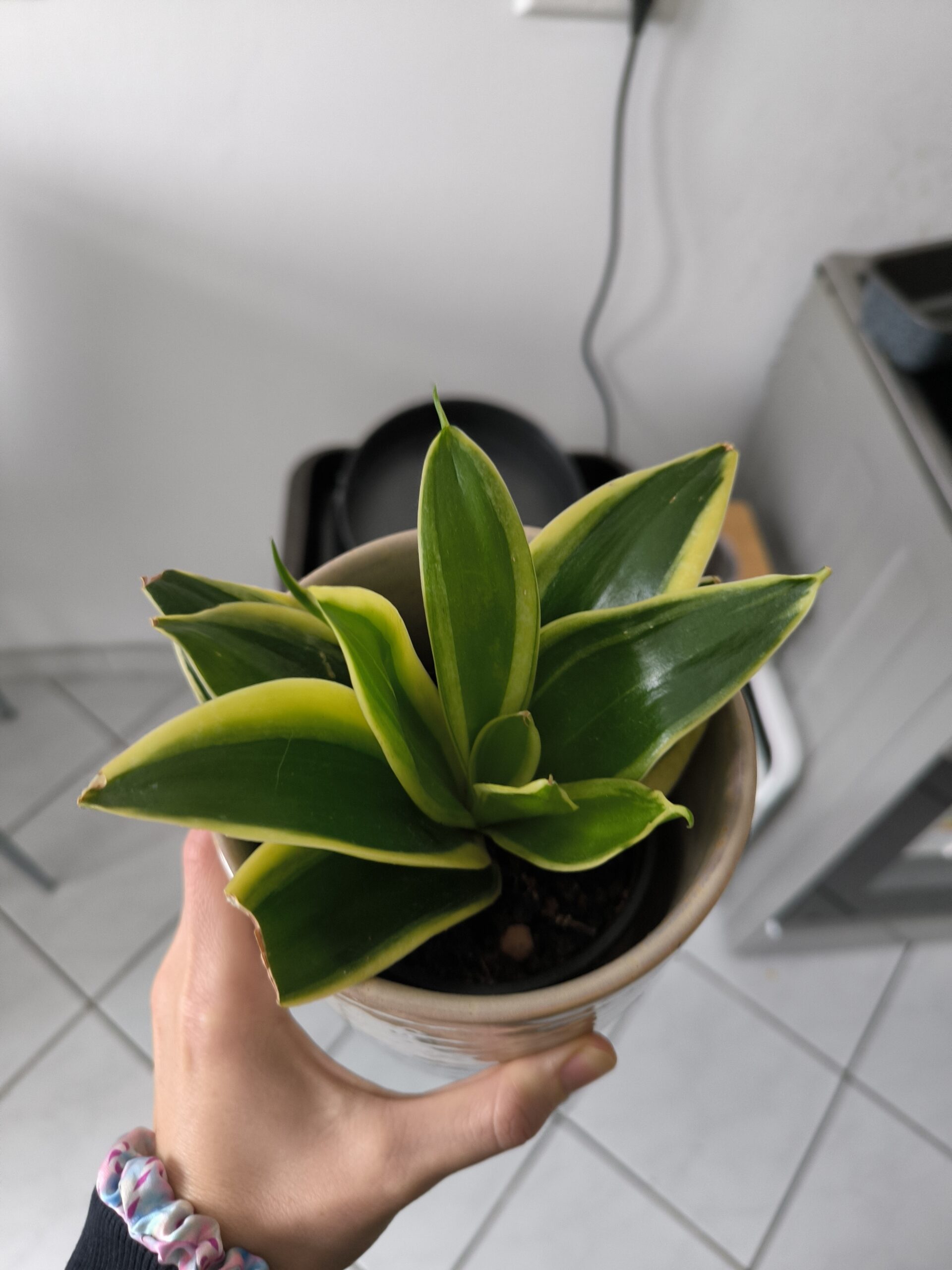
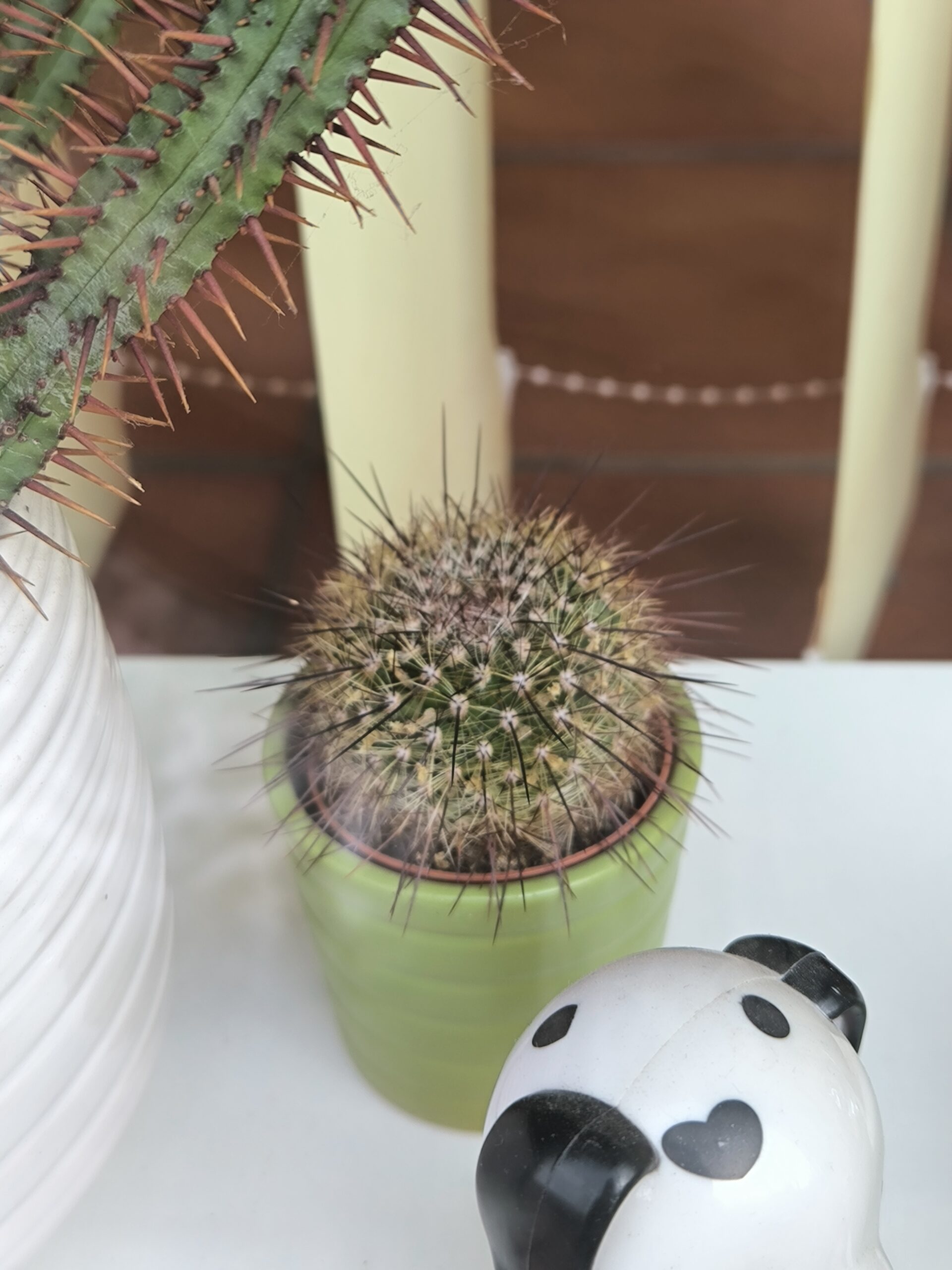
Since I have way too many plants at home, I decided to use them for science. I grouped them into three categories: 🌿 Leafy plants 🌵 Cactus 🌱 Succulents
Dataset Composition:
Leafy plants: 45 images
Cactus: 24 images
Succulents: 24 images
Images were captured with variations in lighting, background, angles and distance. This introduced basic variability. At some point, I ran out of cactus. (Not my favorite category, clearly.)So I generated 3–5 additional cactus images using AI (Nano Banana, OpenAI image generation) to slightly balance the dataset. Not ideal. But realistic.
Dataset Composition:
Leafy plants: 45 images
Cactus: 24 images
Succulents: 24 images
Images were captured with variations in lighting, background, angles and distance. This introduced basic variability. At some point, I ran out of cactus. (Not my favorite category, clearly.)So I generated 3–5 additional cactus images using AI (Nano Banana, OpenAI image generation) to slightly balance the dataset. Not ideal. But realistic.

3. Annotation & Dataset Preparation
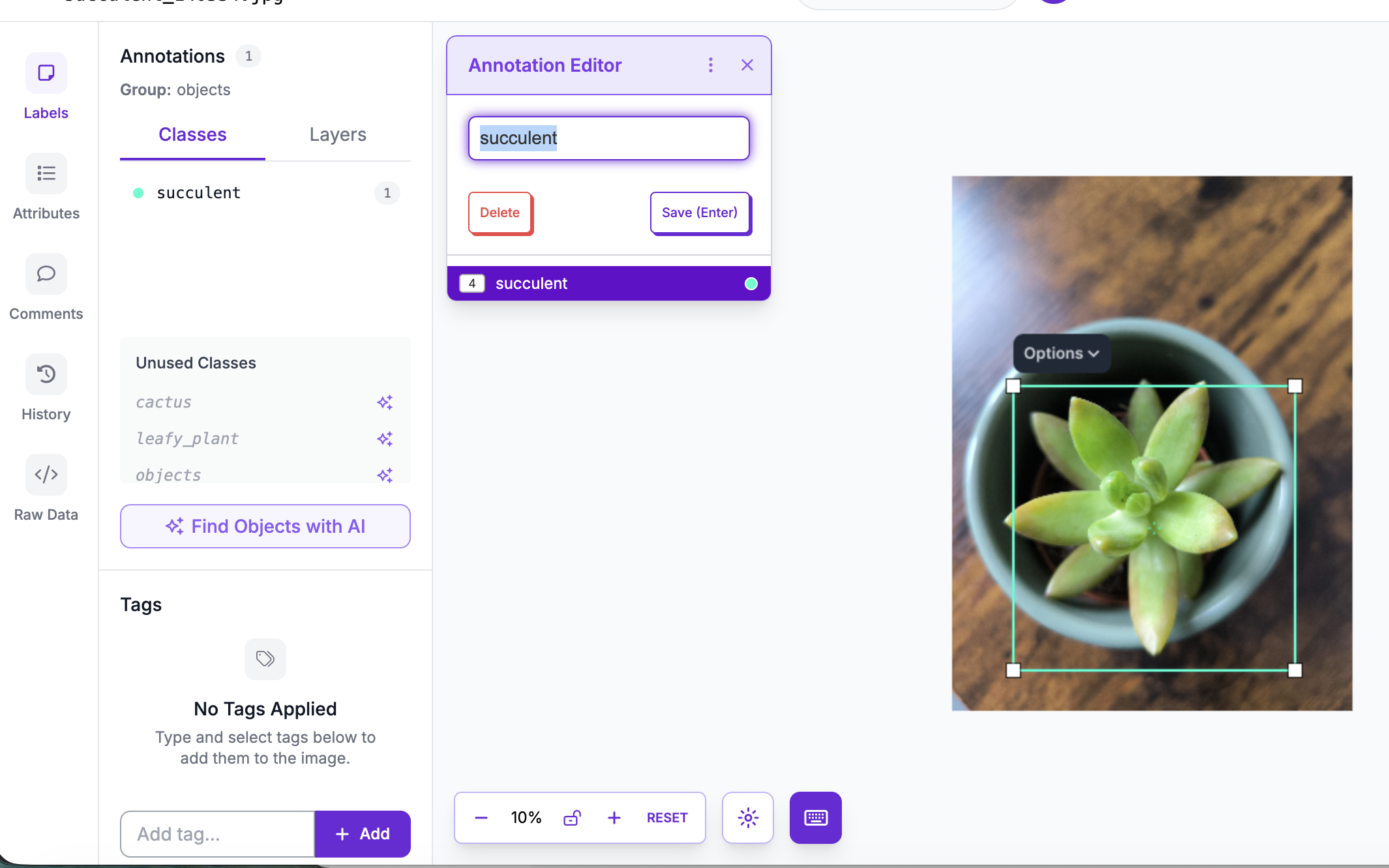
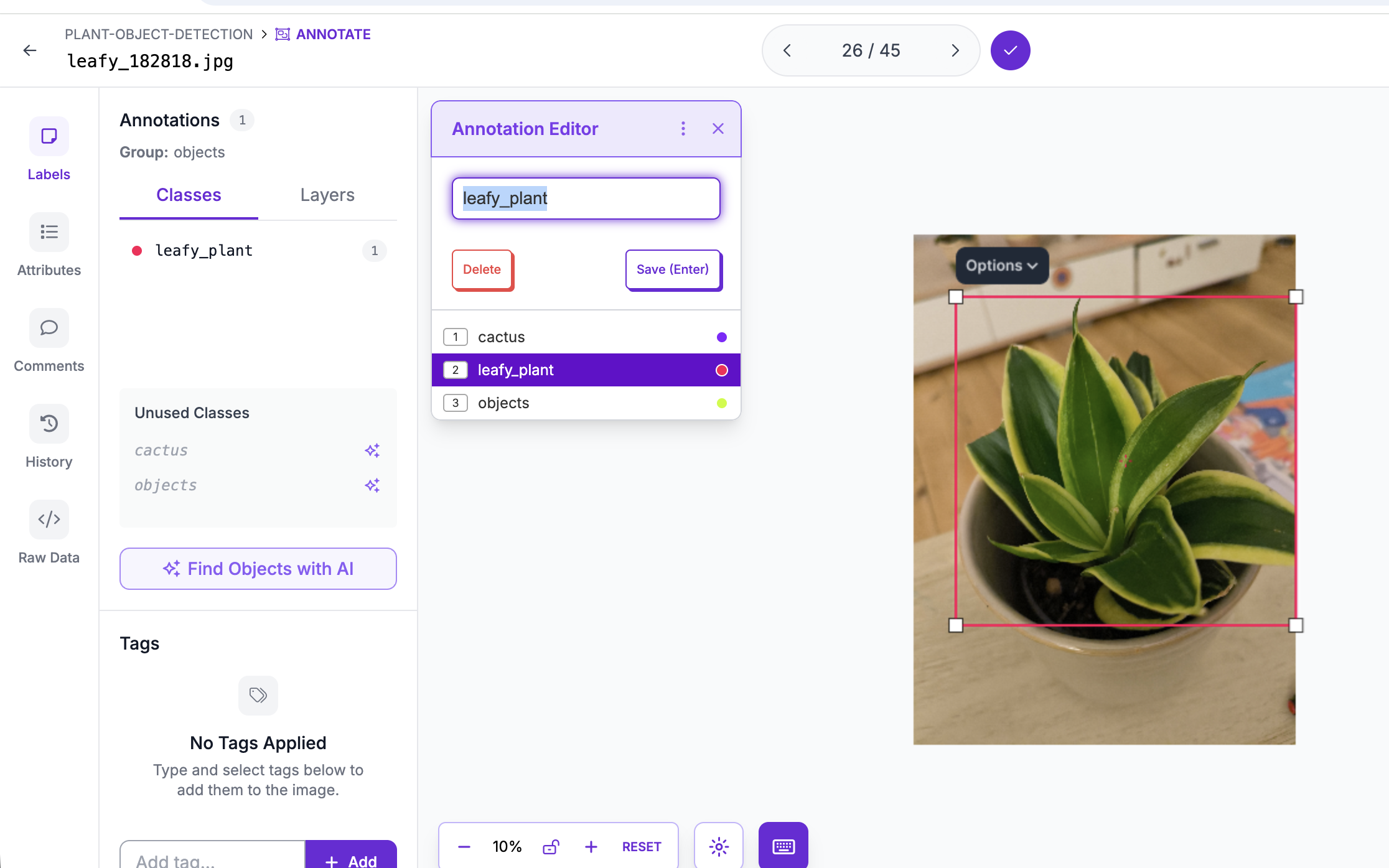
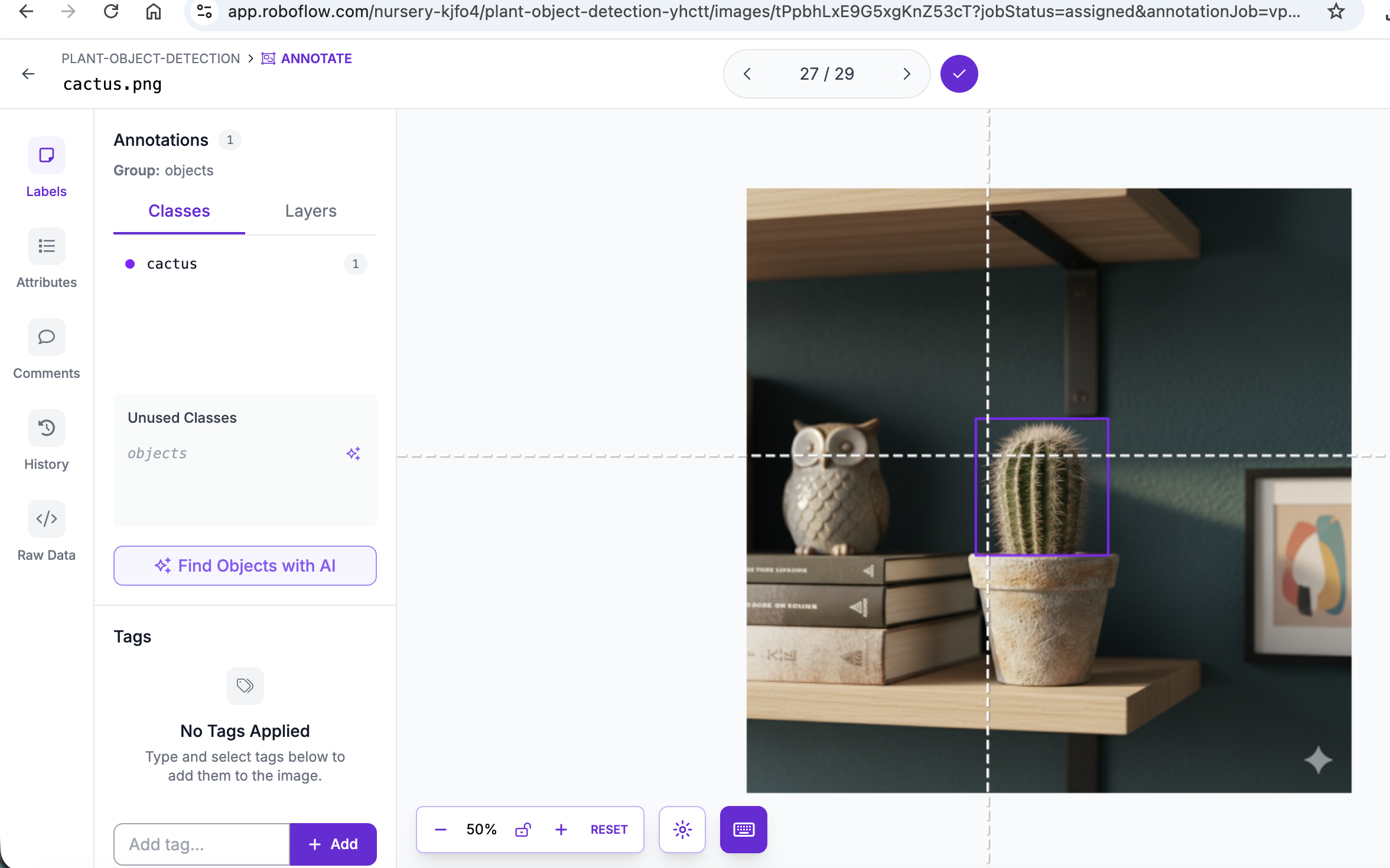
ages were annotated using Roboflow.
Each plant was manually labeled with bounding boxes.
The dataset was then:
- Split into training / validation / test (70/20/10)
- Exported in YOLOv8 format
- Resized to 512×512
At first, I experimented with automatic annotation suggestions. Then I switched to fully manual labeling. I wanted full control — and to actually understand what the model sees. Annotation quality directly affects performance. This was my first lesson in how “data quality” translates into model quality.
Each plant was manually labeled with bounding boxes.
The dataset was then:
- Split into training / validation / test (70/20/10)
- Exported in YOLOv8 format
- Resized to 512×512
At first, I experimented with automatic annotation suggestions. Then I switched to fully manual labeling. I wanted full control — and to actually understand what the model sees. Annotation quality directly affects performance. This was my first lesson in how “data quality” translates into model quality.
4. Model Training
The model was trained using YOLOv8n (nano version).
Configuration:
- Model: yolov8n.pt
- Epochs: 30
- Image size: 512
- Default optimizer
Training was done locally using Python and the Ultralytics framework.
Then something interesting happened. It looked like magic. After 30 epochs, the model started recognizing plants. But it wasn’t magic. Here’s what actually happened: During training, the model saw each image multiple times. It adjusted internal parameters (millions of them) to minimize prediction errors. It learns visual patterns:
- Leaf structure
- Texture
- Shape density
- Edge patterns
After enough adjustments, it becomes good at recognizing patterns it has seen before — and sometimes even similar ones. So the magic is revealed, it is just math and repetition as usual.
Configuration:
- Model: yolov8n.pt
- Epochs: 30
- Image size: 512
- Default optimizer
Training was done locally using Python and the Ultralytics framework.
Then something interesting happened. It looked like magic. After 30 epochs, the model started recognizing plants. But it wasn’t magic. Here’s what actually happened: During training, the model saw each image multiple times. It adjusted internal parameters (millions of them) to minimize prediction errors. It learns visual patterns:
- Leaf structure
- Texture
- Shape density
- Edge patterns
After enough adjustments, it becomes good at recognizing patterns it has seen before — and sometimes even similar ones. So the magic is revealed, it is just math and repetition as usual.
5. Evaluation & Metrics
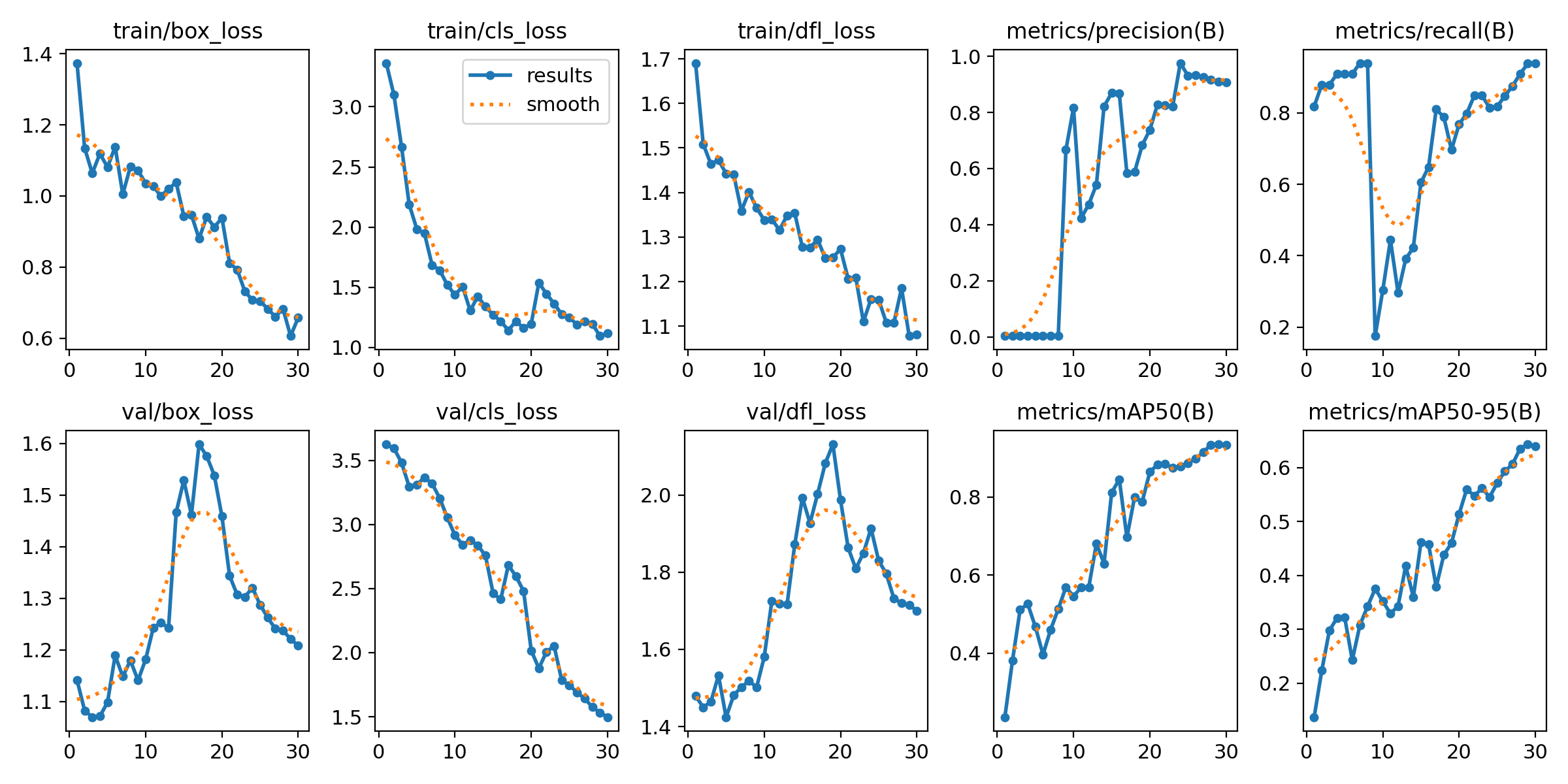
After training, the model achieved:
mAP@50: 0.92
mAP@50-95: 0.65
Precision: ~0.9
Recall: ~0.9
And this is the moment where I got a bit overwhelmed.
Well… to be honest, I freaked out. Because I had no idea what these numbers actually meant. This is where AI became extremely helpful to help translate technical metrics into human language.
So let’s break this down properly.
What does this actually mean?
The model detects plant categories correctly in most cases.
At 50% overlap (mAP@50), it performs very well — meaning it usually finds the right plant in roughly the right place.
At stricter overlap thresholds (mAP@50-95), performance drops — which means bounding boxes are not always perfectly tight.
In simple terms:
The model knows what it’s looking at. It’s just not always perfectly precise in drawing the box around it. Leafy plants performed best. Not surprising — they had nearly double the training samples. This says less about model bias and more about dataset distribution. Still, maybe I do favor leafy plants.
mAP@50: 0.92
mAP@50-95: 0.65
Precision: ~0.9
Recall: ~0.9
And this is the moment where I got a bit overwhelmed.
Well… to be honest, I freaked out. Because I had no idea what these numbers actually meant. This is where AI became extremely helpful to help translate technical metrics into human language.
So let’s break this down properly.
What does this actually mean?
The model detects plant categories correctly in most cases.
At 50% overlap (mAP@50), it performs very well — meaning it usually finds the right plant in roughly the right place.
At stricter overlap thresholds (mAP@50-95), performance drops — which means bounding boxes are not always perfectly tight.
In simple terms:
The model knows what it’s looking at. It’s just not always perfectly precise in drawing the box around it. Leafy plants performed best. Not surprising — they had nearly double the training samples. This says less about model bias and more about dataset distribution. Still, maybe I do favor leafy plants.
6. Generalization Testing (Unseen Plants)
To test real-world behavior, I collected 28 new images of plants not included in training.
Distribution:
- 11 leafy
- 9 cactus
- 8 succulents
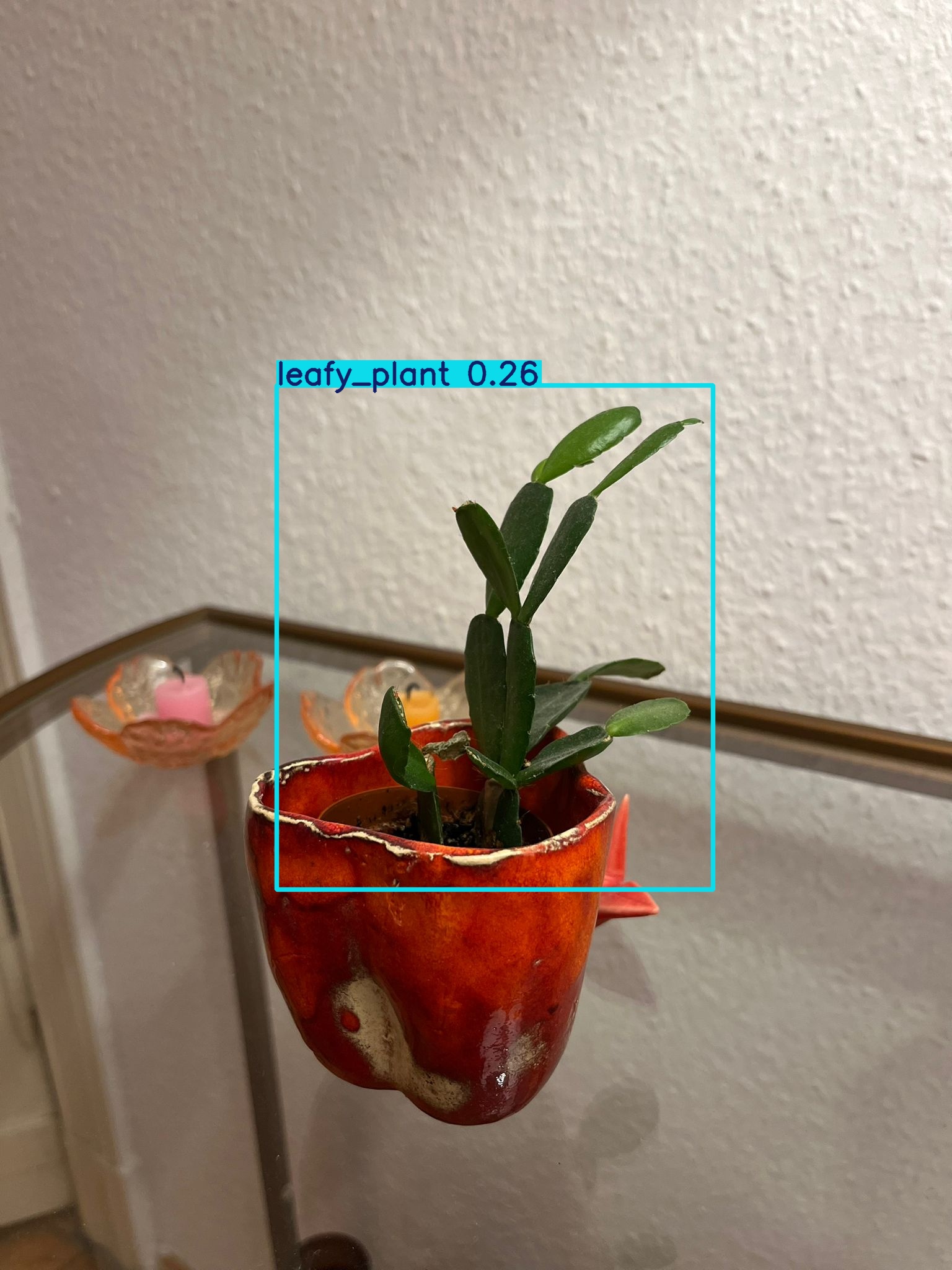
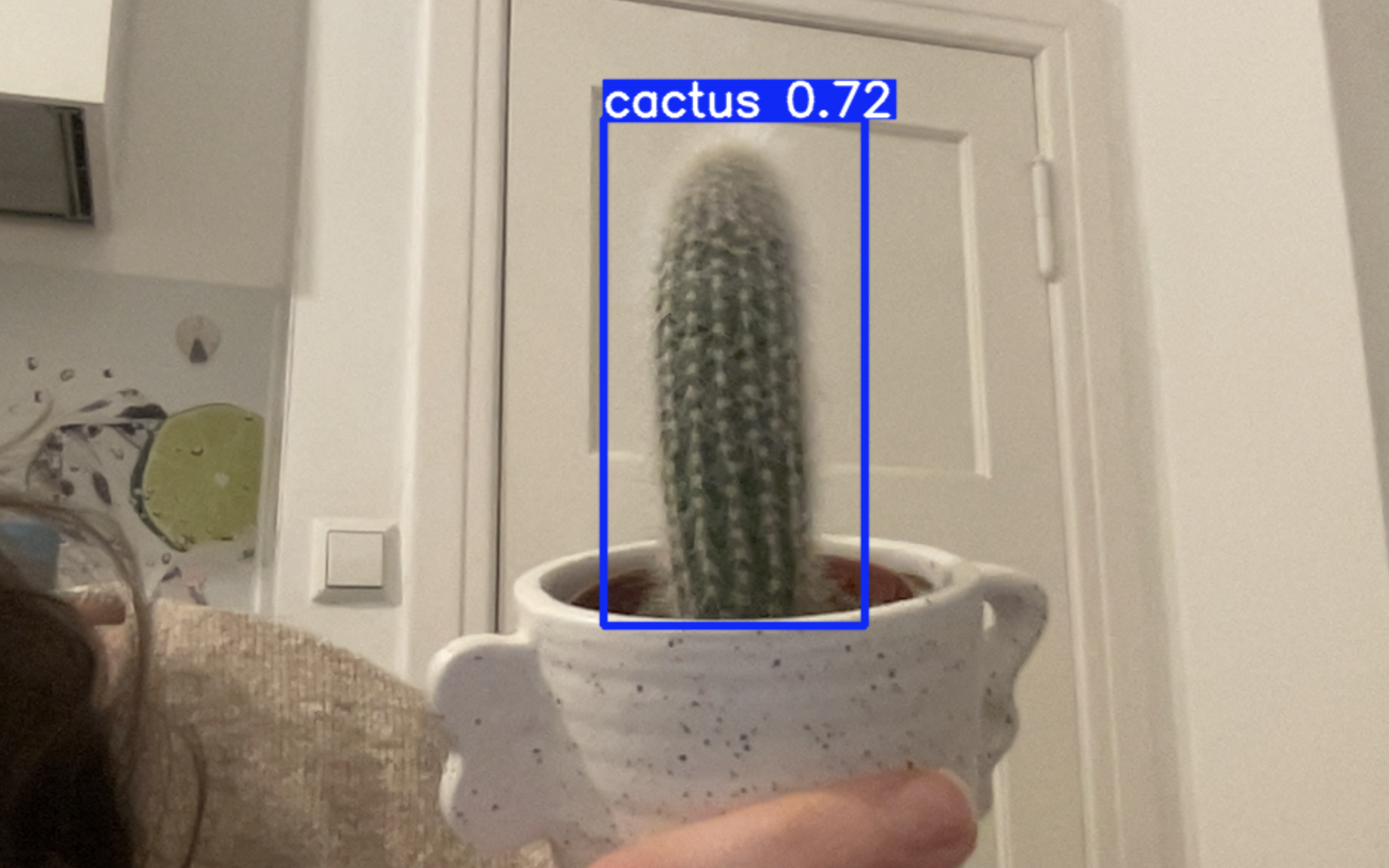
To make things more interesting, I intentionally tried to confuse the model. Since I had no more cactus at home, I asked a friend to send me her cactus photos.
Her cactus… is bald :D It visually resembles a leafy plant more than a classic spiky cactus.
I also included a purple inchplant — which introduced a color variation the model had never seen before. For succulents, I used the same plant types but in different pots and slightly different lighting conditions.
```bash
uv run yolo detect predict \
model=weights/best.pt \
source=test_images \
conf=0.25
```
Distribution:
- 11 leafy
- 9 cactus
- 8 succulents
To make things more interesting, I intentionally tried to confuse the model. Since I had no more cactus at home, I asked a friend to send me her cactus photos.
Her cactus… is bald :D It visually resembles a leafy plant more than a classic spiky cactus.
I also included a purple inchplant — which introduced a color variation the model had never seen before. For succulents, I used the same plant types but in different pots and slightly different lighting conditions.
```bash
uv run yolo detect predict \
model=weights/best.pt \
source=test_images \
conf=0.25
```
7. Prediction Results
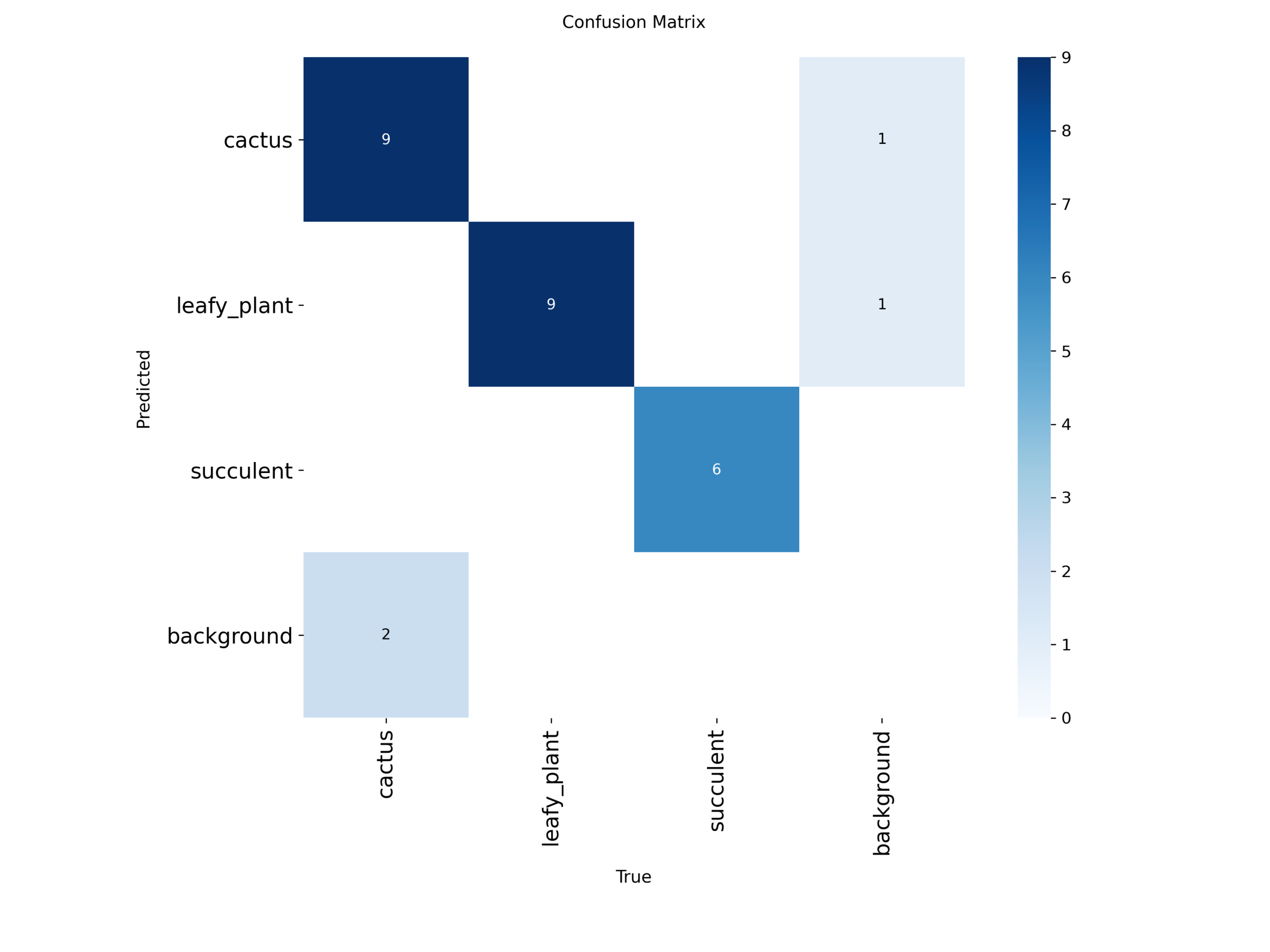
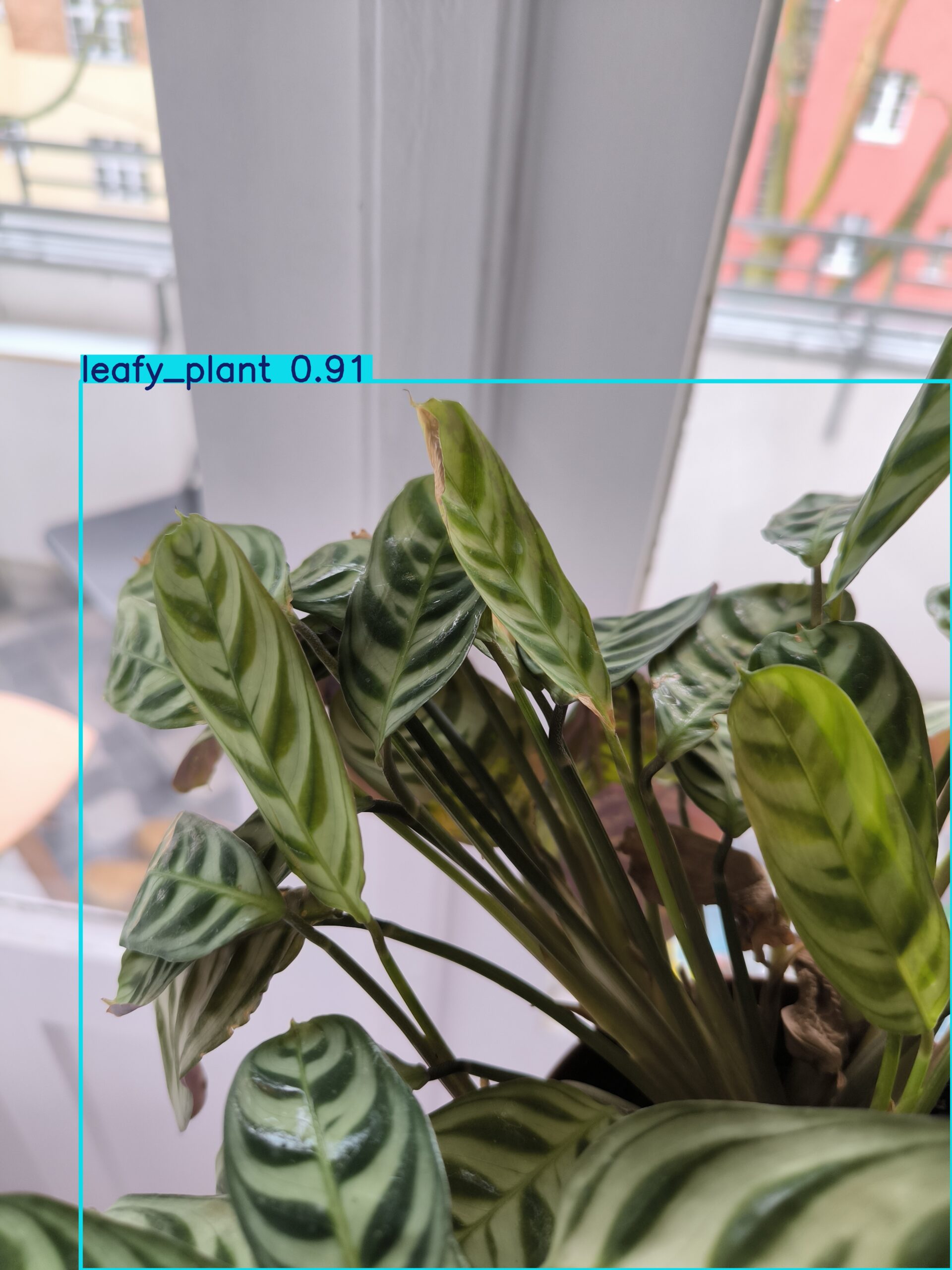
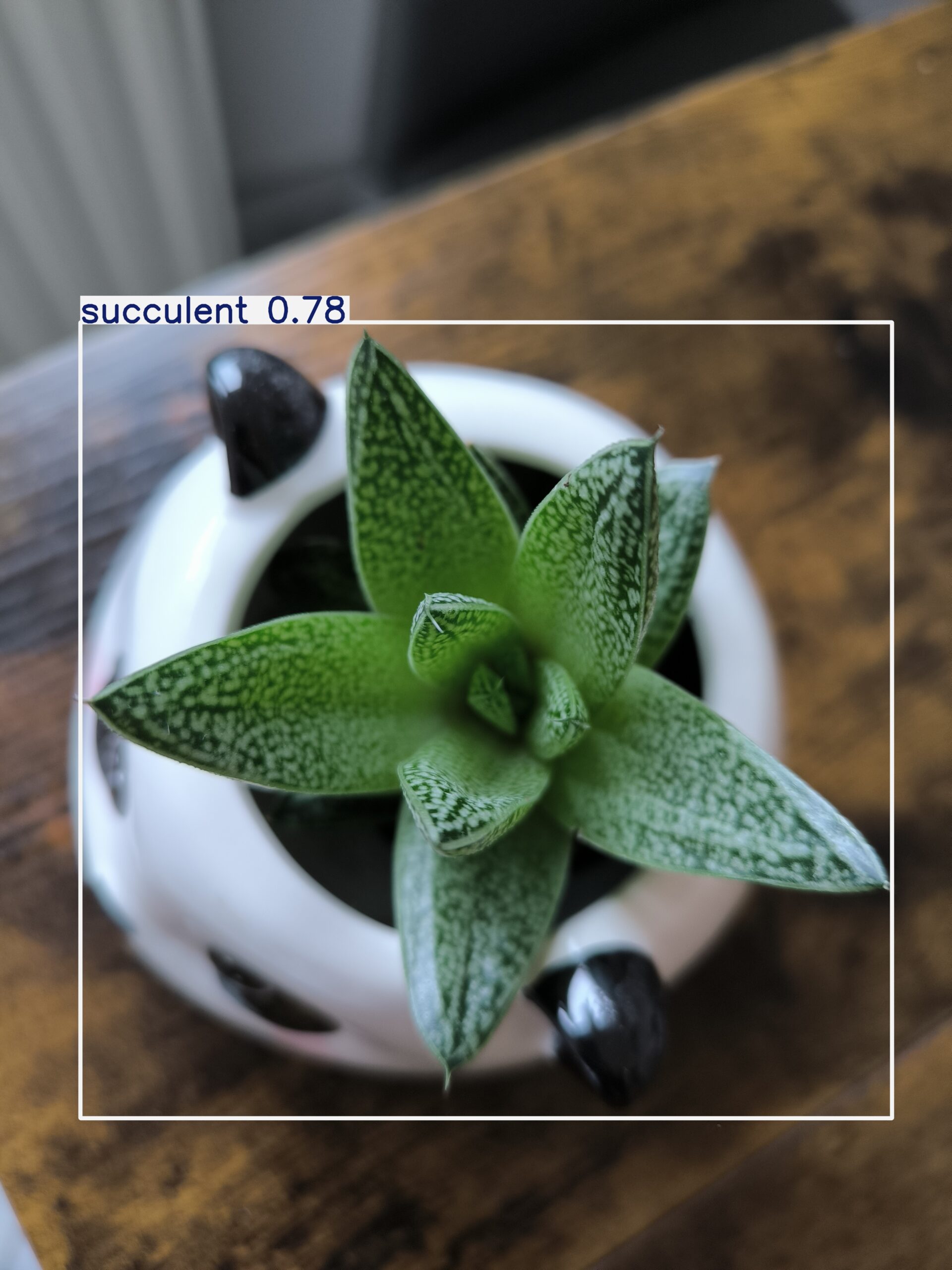
Out of 28 images:
- 3 images were not detected
- 2 leafy
- 1 cactus
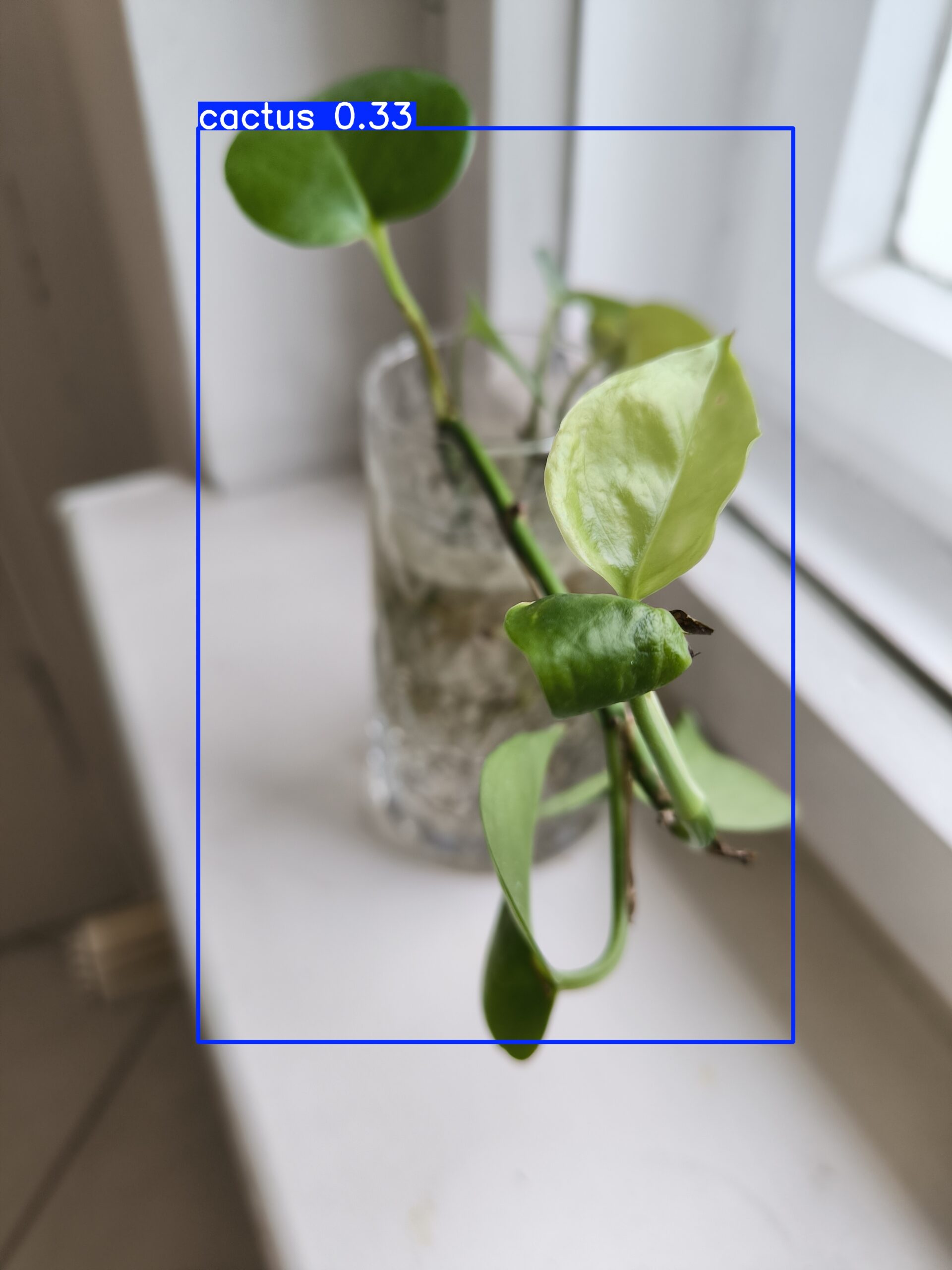
- 2 cactus images were predicted as leafy
- 1 leafy plant was predicted as cactus
- 1 succulent was predicted as leafy
The rest were correctly classified.
- 3 images were not detected
- 2 leafy
- 1 cactus
- 2 cactus images were predicted as leafy
- 1 leafy plant was predicted as cactus
- 1 succulent was predicted as leafy
The rest were correctly classified.
8. Real-Time Deployment (Webcam Testing)
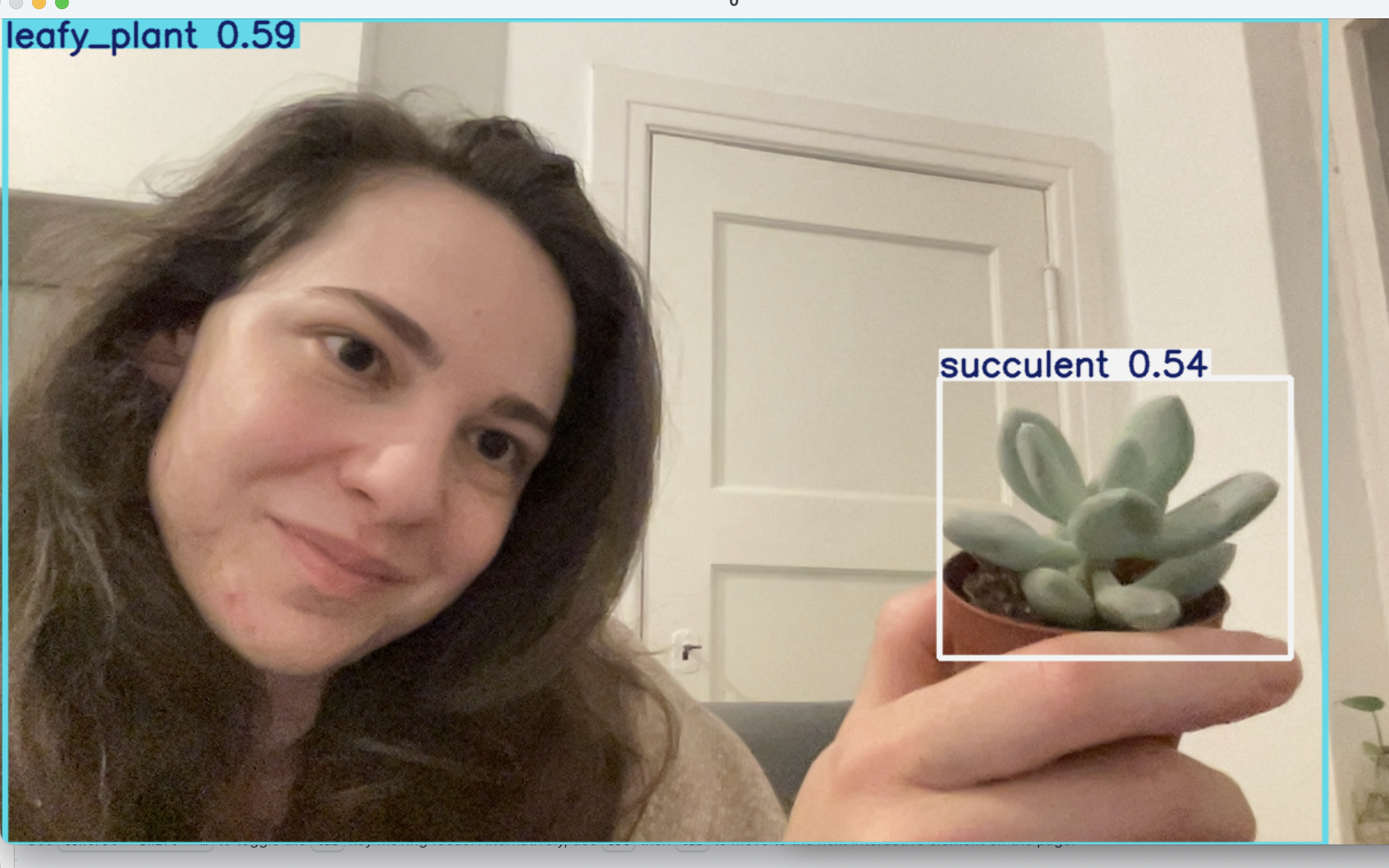
After training the YOLOv8 model, I connected it to my laptop’s webcam to test real-time detection.
The model runs at ~20–30ms per frame and successfully detects plants in live video.
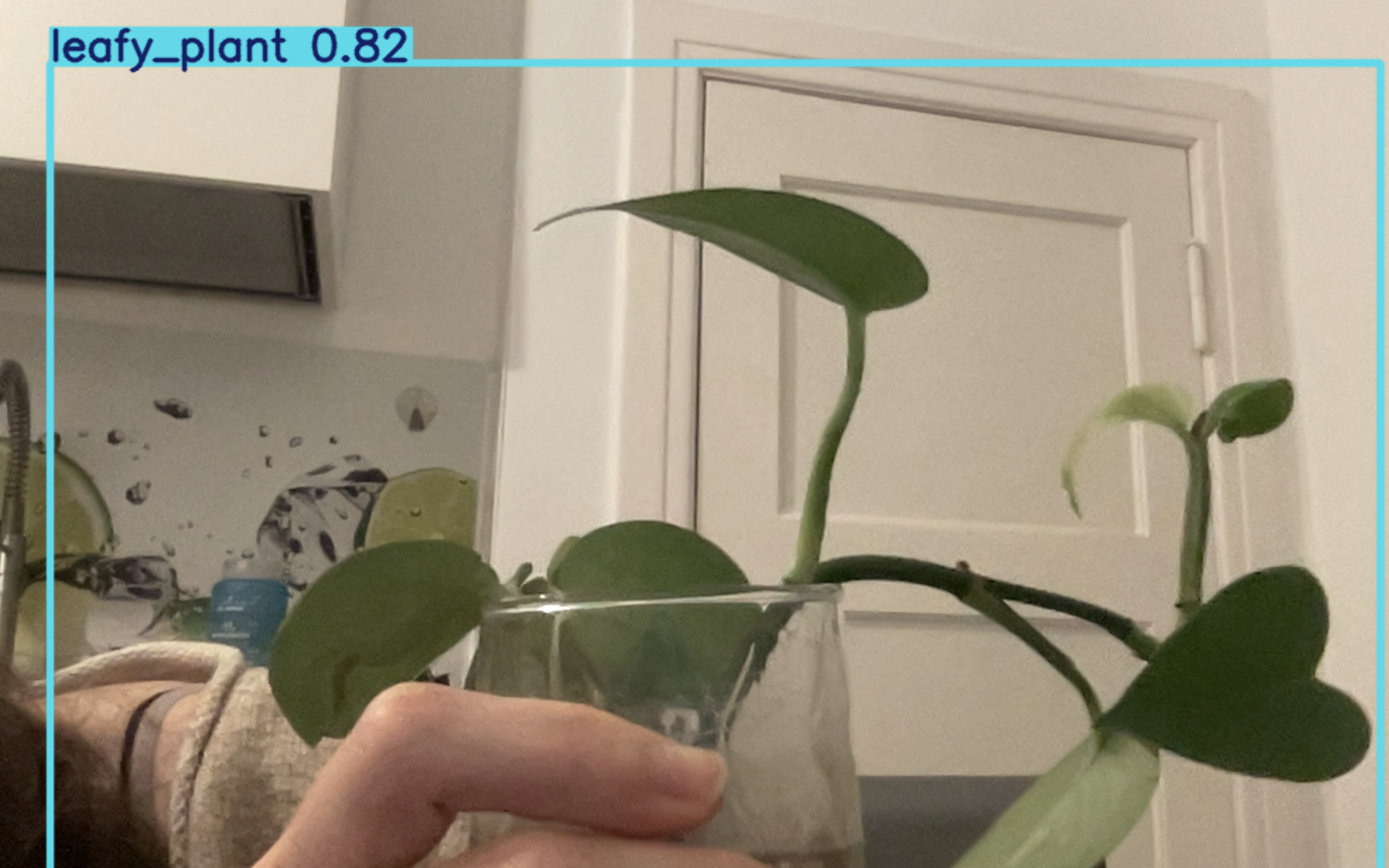
A minor (and funny) observation: at some point, I was also classified as a plant — a leafy plant, to be exact.
This likely happened due to similar color patterns and the limited dataset size — a great reminder of how models generalize (or sometimes overfit).
This step completed the full ML lifecycle:
data collection → annotation → training → evaluation → real-time deployment
The model runs at ~20–30ms per frame and successfully detects plants in live video.
A minor (and funny) observation: at some point, I was also classified as a plant — a leafy plant, to be exact.
This likely happened due to similar color patterns and the limited dataset size — a great reminder of how models generalize (or sometimes overfit).
This step completed the full ML lifecycle:
data collection → annotation → training → evaluation → real-time deployment
9. Observations
The model performs confidently in good lighting conditions.
Detection accuracy drops when leaves overlap or lighting changes significantly.
Real-time inference exposed edge cases that static test images didn’t reveal.
Small datasets increase the risk of misclassification and over-generalization.
Performance speed (~20–30ms per frame) makes real-time usage practical.
Detection accuracy drops when leaves overlap or lighting changes significantly.
Real-time inference exposed edge cases that static test images didn’t reveal.
Small datasets increase the risk of misclassification and over-generalization.
Performance speed (~20–30ms per frame) makes real-time usage practical.